


Fix USB Device Not Recognized in Windows
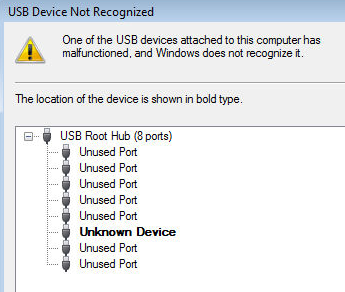
If you getting the error “USB device not recognized” when you plug in some USB deviceonto your computer USB ports, it’s not a tragedy, or at least should not be 
When your computer stop recognizing your USB devices you will still have power on that port so you can still charge your mobile phone or any other device that can be charged via USB.
When your computer stop recognizing your USB devices you will still have power on that port so you can still charge your mobile phone or any other device that can be charged via USB.
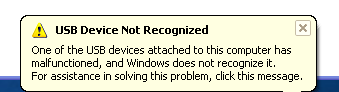
You can initiate the USB device using the Windows Device Manager. Follow these easy steps to do that:
1. Start -> Run and type Devmgmt.msc, click OK (or Start and right click on Computer, select Manage) .
2. Select your computer from the list.
3. In the Action menu, select the Scan for the hardware changes option. Now your computer should recognize the previously unrecognized USB devices.
If this method didn’t worked, try the following:
1. Start -> Run and type Devmgmt.msc, click OK (or Start and right click on Computer, select Manage) .
2. Expand Universal Serial Bus controllers selection.
3. Select the USB Root Hub from the list, right click on it and selectProperties .
4. On the newly opened window (USB Root Hub Properties) select Power Management tab.
5. Clear the check box Allow the computer to turn off this device to save power, and press OK.
6. Repeat the above described steps for each USB Root Hub from your computer list.
7. In the Action menu, select the Scan for the hardware changes option. Now your computer should recognize the previously unrecognized USB devices.
2. Expand Universal Serial Bus controllers selection.
3. Select the USB Root Hub from the list, right click on it and selectProperties .
4. On the newly opened window (USB Root Hub Properties) select Power Management tab.
5. Clear the check box Allow the computer to turn off this device to save power, and press OK.
6. Repeat the above described steps for each USB Root Hub from your computer list.
7. In the Action menu, select the Scan for the hardware changes option. Now your computer should recognize the previously unrecognized USB devices.
If any of the above methods doesn’t resolve the issue, try the last one, unplug your computer from the power supply. This should be done because sometimes the motherboard needs to be rebooted and the standard values to be loaded again from your motherboard bios. When the computer reboot the motherboard loads again all the drivers and your USB ports should be recognized again.


No comments:
Post a Comment