


Fix USB disk undetected or write protected
How many of you guys had this issue at least once? Well, I had this problem yesterday and wanted to share with you the solution for this problem.
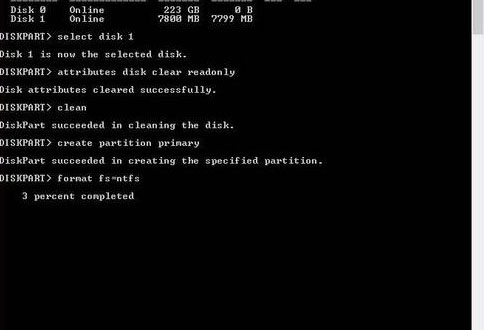
We need to open the command prompt in elevated mode (start -> Run -> typecmd but don’t press enter, right click on the cmd and select run as administrator). We need to enter the following commands:
Diskpart
list disk
select disk and the disk number. Please note that the disk size will be shown in MB.
attributes disk clear readonly
clean
create partition primary
format fs=fat32 quick (or ntfs). For usb drives with smaller capacity it’s recommended to use fat32. If you want to make a bootable usb format as ntfs.
* wait for the format to finish (100%)
exit
list disk
select disk and the disk number. Please note that the disk size will be shown in MB.
attributes disk clear readonly
clean
create partition primary
format fs=fat32 quick (or ntfs). For usb drives with smaller capacity it’s recommended to use fat32. If you want to make a bootable usb format as ntfs.
* wait for the format to finish (100%)
exit


No comments:
Post a Comment