


How to check if USB drive is bootable
Ever asked yourself how to test a bootable usb drive without restarting the computer? It’s pretty simple and you don’t need to do much, just follow the next few steps.
- First of all, download this tiny application MobaLiveUSB
- Extract it’s content and copy the executable file to the USB Drive.
- Run as administrator from USB DRIVE (Please note that you have to run the program from the usb drive that you may want to check).
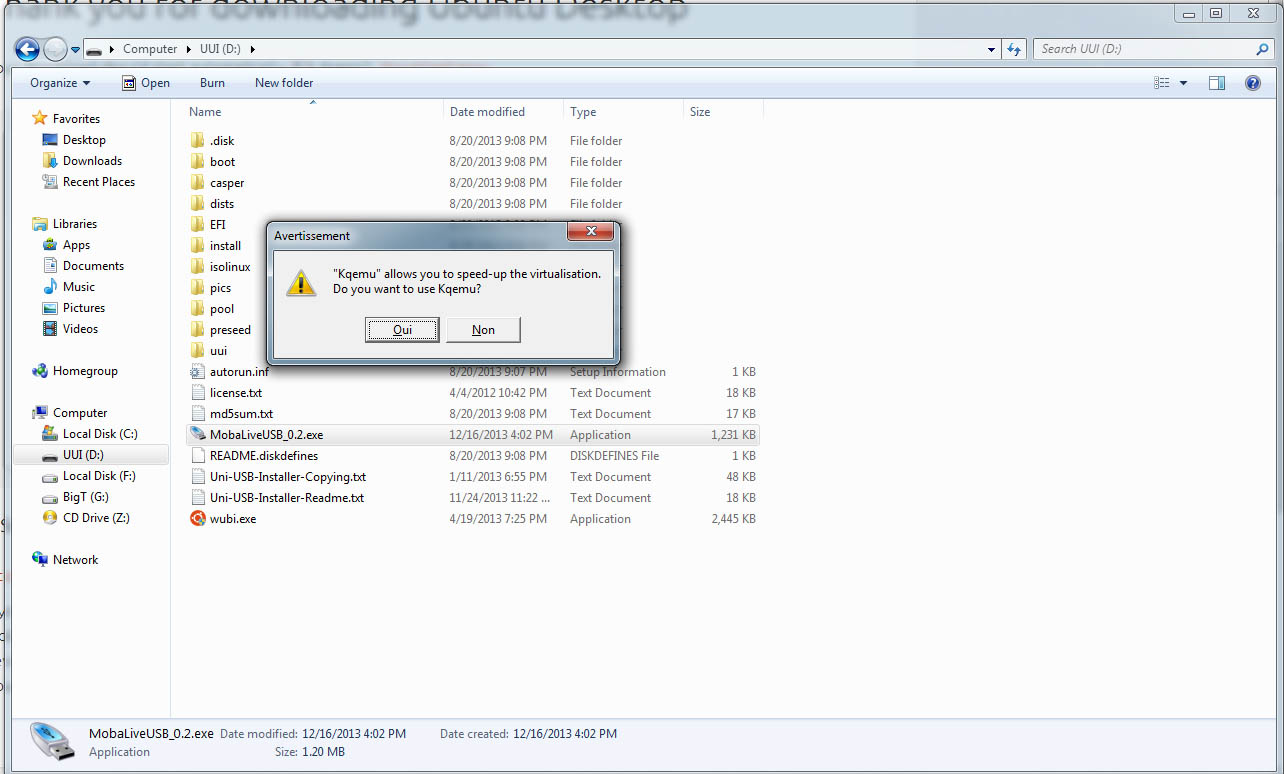
When you run the program it will ask you if you want to use Qemu engine, to boot a virtual machine directly from USB Drive, so please select Oui (*Yes).
That’s it, you don’t have to reboot the machine each time in order to test if your usb drive is bootable or not.


No comments:
Post a Comment